The One Thing Worth Knowing Before You Scroll
Not every lock that shows up on a “keyless entry with app” list actually has an app. A few, like the Schlage BE375 in the #10 spot, are genuinely excellent keyless touchscreen deadbolts — they just don’t connect to a phone at all. We’re including it because it’s a common, frequently-recommended lock that people search for expecting app support, and it deserves a clear, honest answer rather than a vague product description that lets you assume otherwise.
10 Best Keyless Entry Door Locks with App
Here are 10 keyless entry door locks with app compatibility:
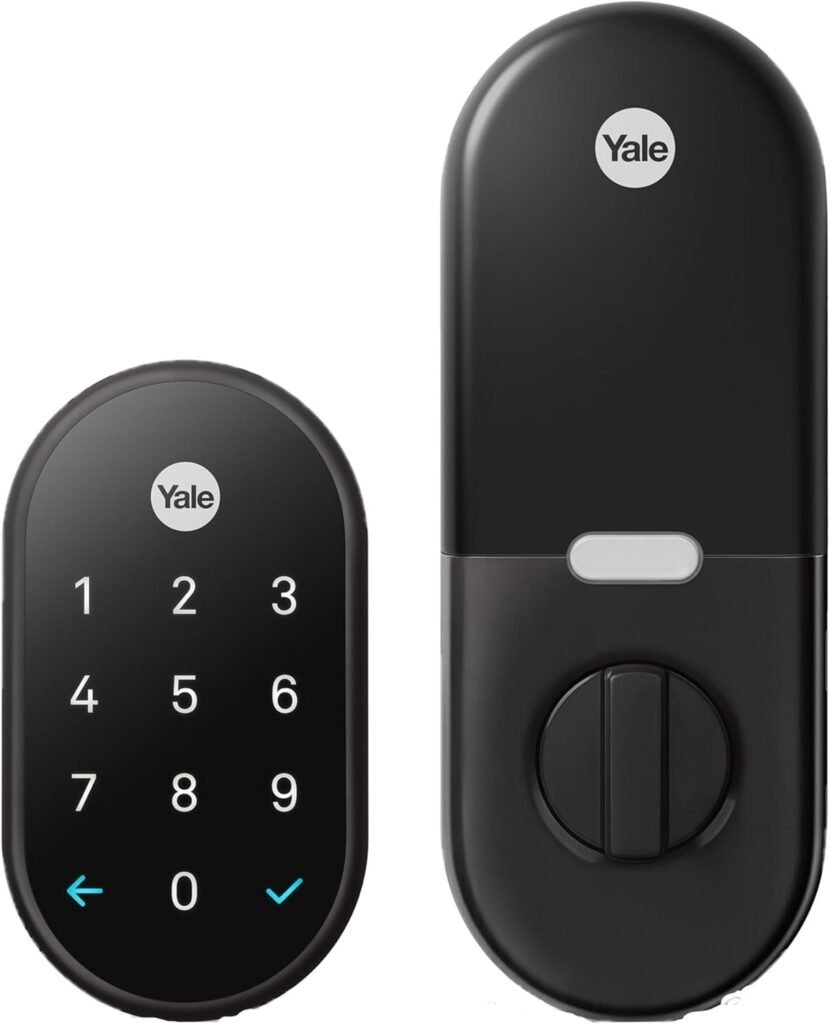
1. Google Nest x Yale Lock – Tamper-Proof Smart Lock

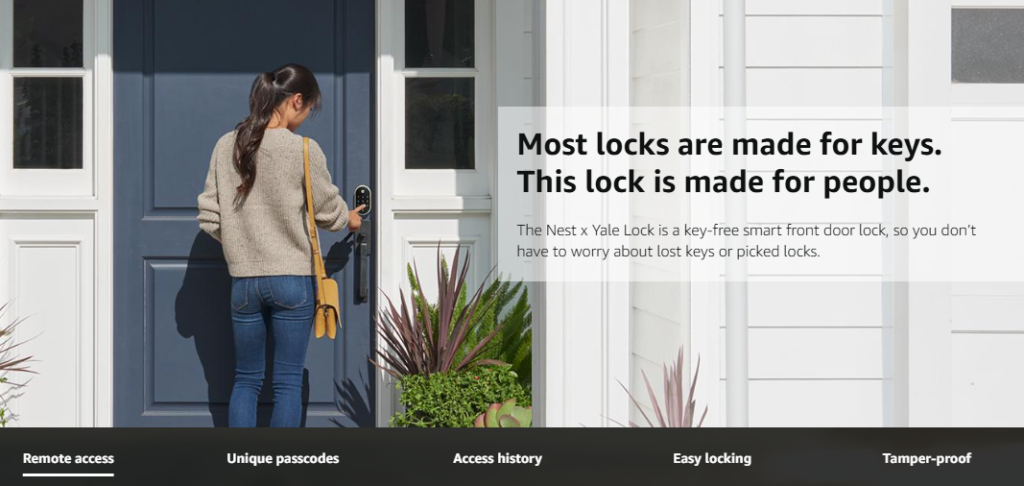
If your house already runs on Google Assistant and Nest cameras, this is the lock that plugs into that ecosystem the most cleanly. It comes bundled with Nest Connect, the little Wi-Fi bridge that gives you remote app control right out of the box — no separate purchase required, unlike a few competitors on this list.
What makes it genuinely useful, not just a spec sheet:
- The Nest app shows you exactly who came and went, and when — not just a generic “unlocked” notification
- Tamper-resistant design with a keypad that scrambles which numbers appear each time, so someone can’t figure out your code by watching which buttons look worn
- Pairs naturally with Nest Hello doorbells and Nest Cams if you already own them
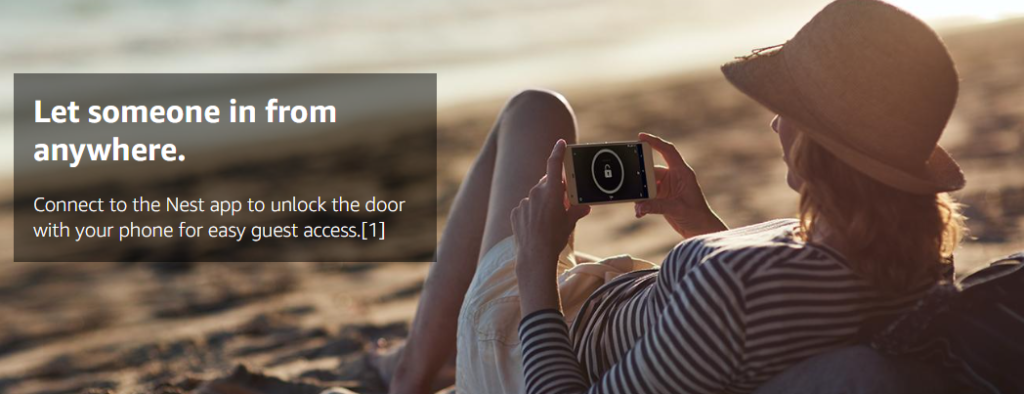
- Backup mechanical key access if the battery or Wi-Fi ever lets you down
Good to know: It replaces your deadbolt entirely rather than retrofitting your existing one, so double-check your door’s backset and bore measurements before ordering.
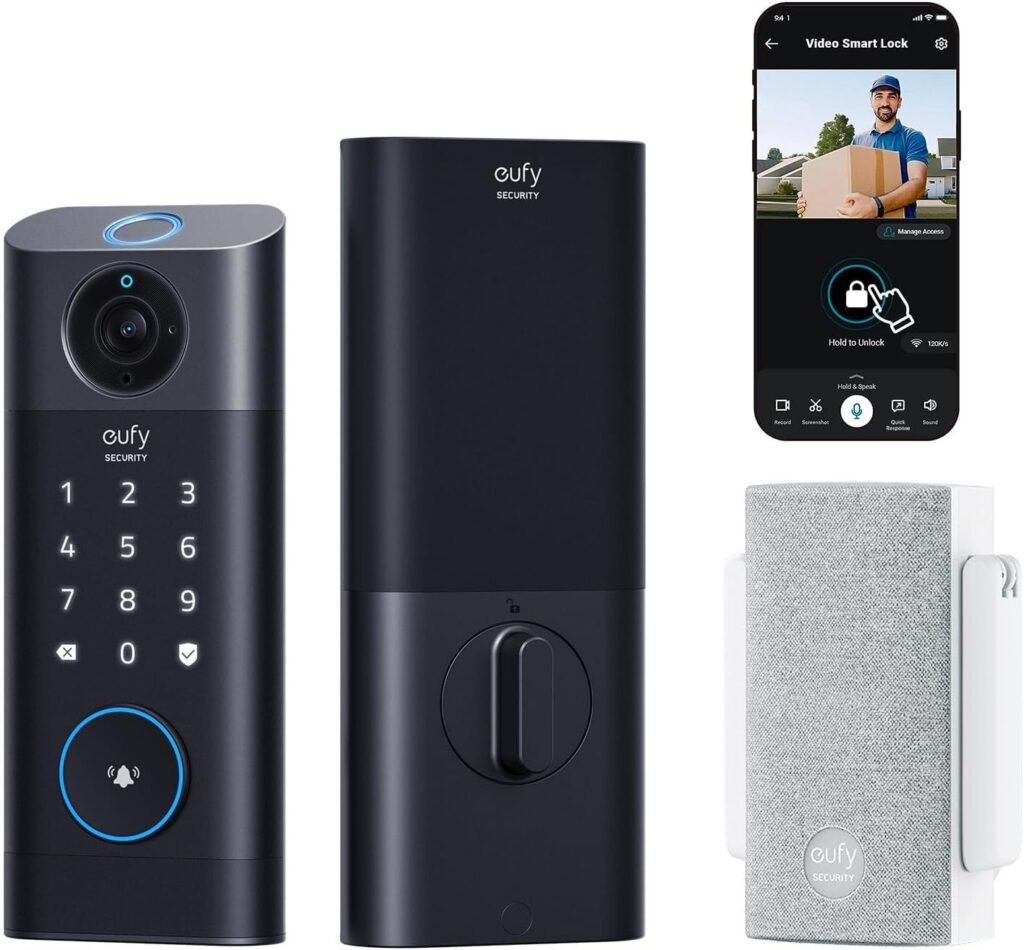
2. Eufy Security Video Smart Lock S330
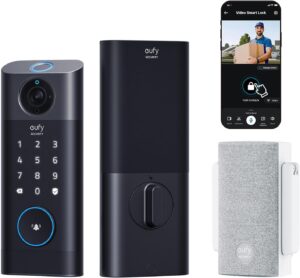
 This one solves a problem most locks on this list don’t even attempt: you don’t just get keyless entry, you get a 2K camera and video doorbell built directly into the lock itself. If you’ve been putting off buying a doorbell camera as a separate project, this quietly checks that box for you.

What makes it genuinely useful:
- Five different ways to unlock — fingerprint, the app, keypad code, voice assistant, or a physical key — so there’s always a fallback
- The doorbell camera lets you actually see who’s asking to come in before you unlock remotely through the app
- No monthly subscription fee required for basic video storage, which isn’t true of every video-enabled lock on the market
- BHMA certified and IP65 rated, so it holds up against genuine weather exposure, not just light drizzle
Good to know: The built-in storage is 8GB, expandable via a microSD card that isn’t included — budget for that separately if you want more than a few days of recorded footage.
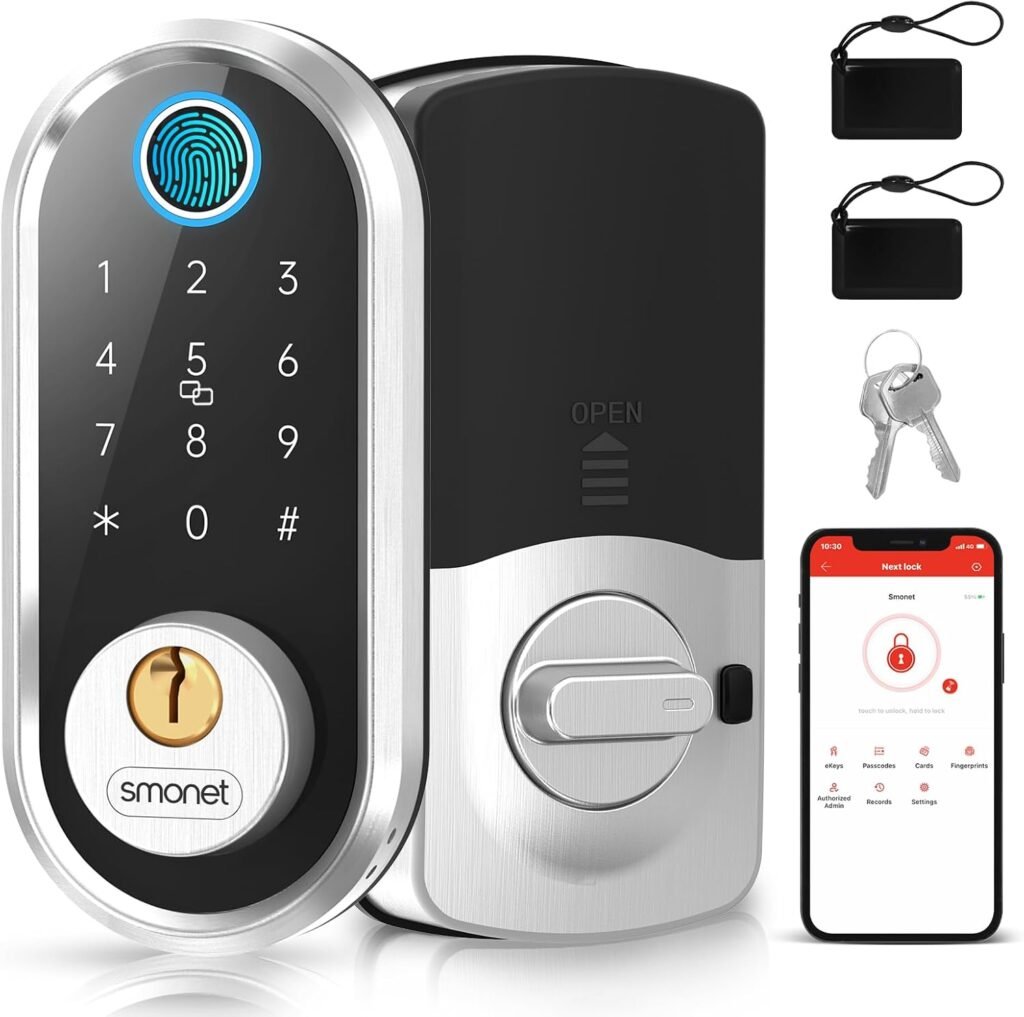
3. SMONET Fingerprint Electronic Deadbolt Door Lock
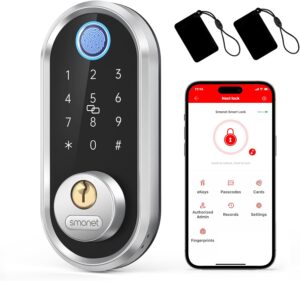

Fingerprint unlocking used to be a premium-only feature. This lock is the clearest evidence that’s no longer true — it reads a fingerprint in well under a second, at a price that undercuts most of the big-name brands on this list by a wide margin.
What makes it genuinely useful:
- Fingerprint recognition fast enough that you genuinely stop reaching for your phone or keys
- App control works over Bluetooth without needing anything extra, and adding the optional SMONET G2 gateway extends that to full remote/Wi-Fi access from anywhere
- One-touch unlock support for Apple Watch when you’re within range
- Individually manageable user profiles, useful if multiple family members or guests need their own access
Good to know: Without the separate Wi-Fi gateway, app control is limited to Bluetooth range — fine for checking the lock from your couch, not so much from your office.
4. Level Bolt Smart Lock – Smart Deadbolt
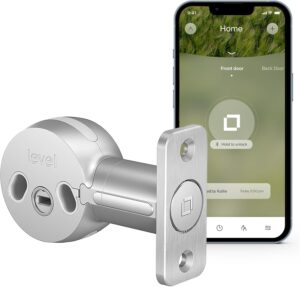

Every other lock on this list visibly announces itself as a smart lock — a keypad, a touchscreen, a chunky exterior unit. Level Bolt takes the opposite approach entirely: it installs inside your existing deadbolt, so from the outside, your door looks completely untouched. If you rent, live somewhere with an HOA that’s picky about exterior hardware, or just don’t want a giant keypad on your front door, this solves that specific problem better than anything else here.
What makes it genuinely useful:
- Keeps your current keys working exactly as before — nobody has to relearn anything
- Matter-over-Thread support means it plays well with Apple Home, Google Home, Amazon Alexa, and Samsung SmartThings simultaneously, not just one ecosystem
- A 6-gauge stainless steel gearbox gives it real mechanical strength despite the compact size
- The Level Home app supports full keyless access sharing, activity history, and lock status checks
Good to know: Full remote-anywhere control over Matter requires a Thread border router/hub — check what you already own (many newer smart speakers and TVs include one) before assuming you need to buy something extra.
5. Kwikset Halo Touchscreen Wi-Fi Smart Door Lock
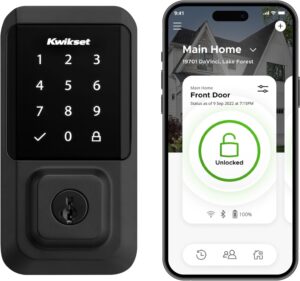

Kwikset’s Halo Touchscreen Wi-Fi
Kwikset built the Halo specifically to answer the “do I need to buy a separate hub?” question with a flat no. It has Wi-Fi built directly into the lock, so the Kwikset app talks to it straight out of the box, from anywhere with an internet connection.
What makes it genuinely useful:
- Geofencing auto-unlocks the door as you approach, so you’re not even opening the app half the time
- Backlit touchscreen supports up to 250 individual access codes — genuinely useful for larger families or short-term rental hosts
- SmartKey re-key technology lets you change what physical key opens the backup cylinder yourself, in seconds, without calling a locksmith
- Grade AAA (BHMA) certified and UL listed for real security and durability standards, not just marketing language
Good to know: Because it depends on your home Wi-Fi directly (no local hub as a backup), a home internet outage means you lose remote app access until it’s back — the physical keypad and backup key still work fine in the meantime.
6. Wyze WiFi & Bluetooth Enabled Smart Door Lock
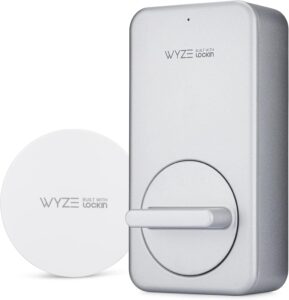

Wyze built its whole brand on taking expensive smart home categories and pricing them for people who don’t want to spend $300 on a door lock. This one delivers on that promise — full app control, auto-lock, auto-unlock, and Alexa/Google Assistant support, all at a price closer to a budget lock than a premium one.
What makes it genuinely useful:
- Retrofits onto your existing deadbolt rather than replacing the whole thing, which keeps installation and cost down
- Built-in gyroscope actually detects whether the door itself is open or closed — not just whether the bolt is extended, which is a smarter distinction than most competitors bother with
- Time-based guest codes let you set access windows for specific days and times, ideal for cleaners or dog walkers
- The included Wyze Gateway brings full remote app control out of the box, no extra purchase required
Good to know: The optional wireless keypad is sold separately — factor that into your total cost if you want a code-entry option in addition to app control.
7. Kwikset 99420-001 Aura Bluetooth Programmable Deadbolt
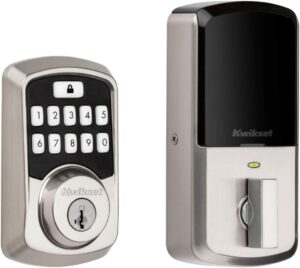

Sometimes you don’t want a hub, a gateway, or a subscription — you just want your phone to work as a key when you’re standing at your own front door. The Aura is built for exactly that use case, and it doesn’t apologize for keeping things simple.
What makes it genuinely useful:
- Full app control for locking, unlocking, and managing up to 250 access codes, all within Bluetooth range
- One-touch locking button means you don’t even need the app for the most common daily action
- Kwikset’s SmartKey security lets you re-key the backup cylinder yourself in minutes
- Straightforward AA-battery installation with no wiring, done in minutes with just a screwdriver
Good to know: This is Bluetooth-only, so “app control” here means “control while you’re near the lock,” not remote access from across town — if you specifically want to check or unlock your door from anywhere, look at the Wi-Fi options higher on this list instead.
8. Yale Assure Lock SL – Key-Free Touchscreen Door Lock
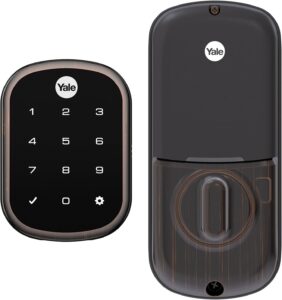
Allows you to lock and unlock your door remotely via the Nest app
Yale’s Assure Lock SL offers keyless entry through a sleek touchscreen
There’s no keyhole anywhere on this lock — not on the exterior, not as a hidden backup. Yale leaned all the way into “100% key-free,” and paired that with built-in Wi-Fi, so the app works the same whether you’re standing at the door or across the country.
What makes it genuinely useful:
- Auto-unlocks as you approach and relocks automatically once the door closes, so the app mostly runs in the background
- Voice control works across Alexa, Google Assistant, and Siri — a genuinely wider assistant range than most locks bother supporting
- Slim touchscreen profile fits well even on doors with a storm door in front, where bulkier locks sometimes don’t clear
- Low-battery alerts come through the app and connected voice assistants, so you’re not caught off guard
Good to know: Since there’s no physical key backup at all, losing app and keypad access simultaneously (dead phone, dead keypad battery) means you’re locked out — keep a charged backup code memorized and consider a battery backup plan for peace of mind.
9. August Home Smart Lock
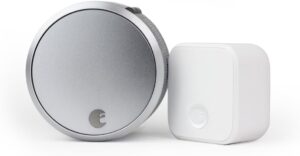

August popularized the idea of a smart lock that attaches to the inside of a door without touching the exterior hardware at all — your existing keys keep working exactly as they always have. The included August Connect hub is what gives this one full remote app access, rather than leaving you with Bluetooth-only range.
What makes it genuinely useful:
- Installs entirely on the interior side, so your exterior door hardware and keys never change
- Auto-Unlock detects your arrival and unlocks automatically, while Auto-Lock secures the door once you’re inside
- Guest access can be shared instantly through the app for family, friends, or visitors, and revoked just as quickly
- Works with Alexa and Google Assistant for voice-based locking, unlocking, and status checks
Good to know: Because it attaches to your existing deadbolt rather than replacing it, compatibility depends on your current hardware — check August’s compatibility list for your specific deadbolt brand before buying.
10. Schlage BE375 CEN 716 Keyless Entry Lock
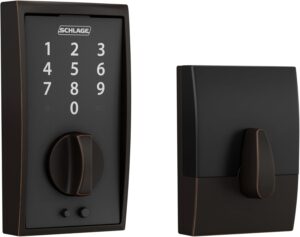

We’re being direct about this one because plenty of other lists aren’t: the Schlage BE375 Touch is a genuinely well-built, cylinder-free touchscreen deadbolt — and it has no app, no Wi-Fi, and no Bluetooth whatsoever. If app control is a must-have for you, this isn’t your lock. If you specifically want a simple, secure, code-only keyless deadbolt without any smart home layer at all, it’s actually one of the better options in that narrower category.
What it actually offers:
- A cylinder-free design with no keyway to bump or pick, backed by Grade 2/AAA security certification
- Supports up to 19 individual user codes, managed directly on the touchscreen itself
- A 9V battery with a jumpstart feature, so a dead battery doesn’t permanently lock you out
- A genuinely slim profile that fits well behind storm and screen doors where bulkier smart locks sometimes don’t
Who it’s actually for: Someone who wants keyless, code-based entry and values simplicity and battery life over app connectivity or remote access — not someone shopping specifically for app-based smart lock features.
Which One Should You Actually Buy?
- Deep in the Google ecosystem: Google Nest x Yale Lock.
- Want a camera and doorbell bundled in: Eufy Security S330.
- Tight budget, still want fingerprint unlock: SMONET.
- Don’t want your door to look “smart” at all: Level Bolt.
- Want built-in Wi-Fi with zero extra hardware: Kwikset Halo.
- Budget Wi-Fi option with real auto-lock smarts: Wyze Smart Door Lock.
- Just want simple Bluetooth app control, nothing fancier: Kwikset Aura.
- Want zero keyholes anywhere on the door: Yale Assure Lock SL.
- Want to keep your exact existing exterior hardware: August Home Smart Lock + Connect.
- Want keyless entry and don’t care about an app at all: Schlage BE375 — just go in knowing that’s what you’re getting.
Frequently Asked Questions
Do all keyless entry locks need Wi-Fi to work with an app?
No. Some locks, like the Kwikset Aura and the SMONET (without its optional gateway), use Bluetooth only, meaning the app works when you’re near the lock but not for remote access from elsewhere. Others, like the Kwikset Halo and Yale Assure Lock SL, have Wi-Fi built directly into the lock. A third group, including the Google Nest x Yale Lock, August Home Smart Lock, and Wyze Lock, need an included hub or bridge device to get full remote access.
What’s the difference between a Bluetooth smart lock and a Wi-Fi smart lock?
Bluetooth locks only communicate with your phone when you’re within a short range of the lock itself — great for confirming you locked the door as you walk away, but not useful for checking on it from work. Wi-Fi-connected locks (either built-in or via a bridge) let you lock, unlock, and monitor the door from anywhere with an internet connection.
Can I add app control to a keyless lock that doesn’t have it, like the Schlage BE375?
Not directly — locks without any Bluetooth or Wi-Fi hardware built in, like the BE375, have no way to connect to a smartphone app. If app control matters to you, look at a model with built-in connectivity (or an add-on retrofit device, in some cases) rather than expecting a firmware update to add it later.
Do keyless entry locks with an app work during a power or internet outage?
Nearly all of them run on battery power independent of your home’s electricity, so the lock itself keeps functioning. Local Bluetooth-based app access typically still works during an internet outage, since it doesn’t depend on your home Wi-Fi. Remote access over Wi-Fi, however, will be interrupted until your internet connection is restored.
Are app-controlled keyless locks secure against hacking?
Reputable brands use encrypted communication between the lock, hub, and app, and most keyless deadbolts on this list carry ANSI/BHMA security grade certifications independent of their smart features. As with any connected device, using a strong, unique password on your lock’s app account and keeping its firmware updated meaningfully reduces risk.
How long do the batteries last on an app-controlled keyless lock?
This varies by lock and usage frequency, typically ranging from several months to about a year for locks that see regular daily use. Nearly every lock on this list includes a low-battery warning through the app or an audible/visual alert on the lock itself, along with a backup power option (like a 9V jumpstart port or USB-C port) so a dead battery doesn’t strand you outside.
The Bottom Line
For most households, the Google Nest x Yale Lock or Kwikset Halo hit the sweet spot of genuine app control without extra hardware headaches — pick based on which smart home ecosystem you’re already using. If you want to keep your door looking completely untouched, Level Bolt is the one purpose-built for that. And if you came here specifically because a lock like the Schlage BE375 kept showing up on “best app-controlled locks” lists, now you know: it’s a genuinely solid keyless deadbolt, just not one with an app behind it.
As an Amazon Associate, [Buyer Guide Pro] may earn from qualifying purchases made through links on this page.